
Gutenberg 23.8 is out, and most of what changed is aimed at how teams collaborate on posts and pages, plus a performance fix for anyone editing long content.
Share a link to one exact change
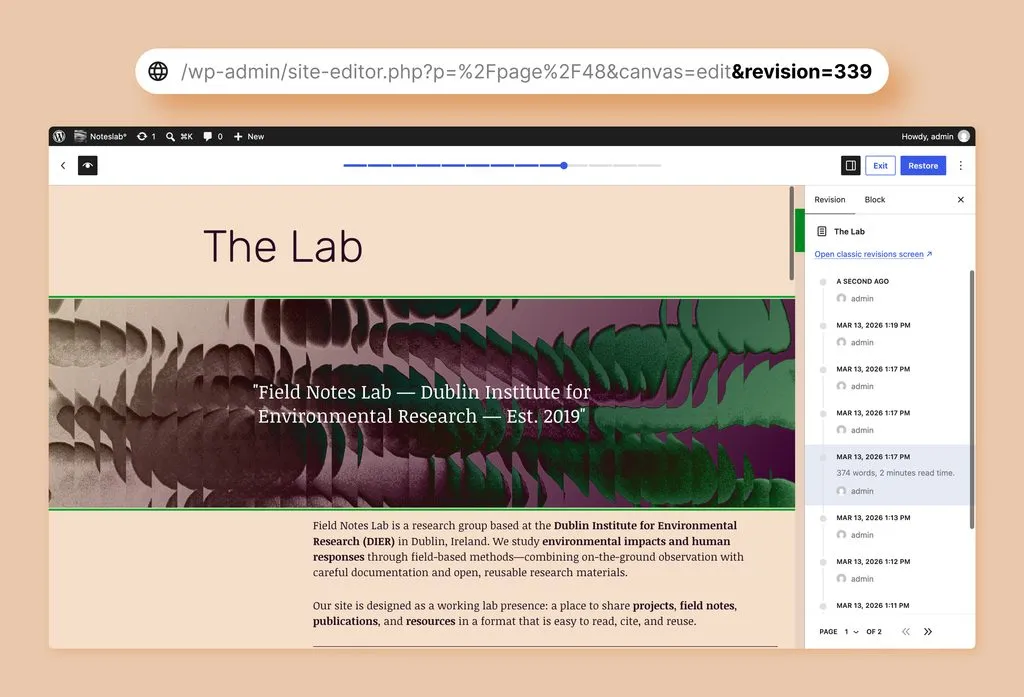
The revision history now supports shareable URLs. Open a specific revision and the address bar updates to match it, so you can copy that link and send it to a colleague, they land on the exact same revision instead of having to scroll through history themselves. A new toggle also shows the change as a code diff, useful if you want to see precisely what markup changed rather than just the visual difference.
Notes now email you when someone mentions you
Gutenberg 23.6, out last month, let you type ”@” in a Note to mention a teammate. 23.8 finishes the job: mention someone now and they get an email, in their own language, with a direct link back to the conversation. You no longer have to tell a collaborator to go check their notes, they’ll know.
List View is dramatically faster on long posts
If you write long-form content, this is the change worth knowing about. On a test post with 1,000 paragraphs, selecting every block in List View used to take 16.8 seconds. It now takes 0.4 seconds. Opening the List View is faster too, and expanding or collapsing sections no longer causes the whole panel to redraw. If List View has felt sluggish on your longer pages, that should be gone now.
A more predictable start to writing
Starting a new post used to show an empty canvas with a placeholder prompt. Now it shows an actual default paragraph block from the start, so what you see before you type is what you’ll actually get. New blocks also inherit formatting from the block next to them more consistently.
Getting it
Gutenberg 23.8 is available now from the Gutenberg plugin page if you want these features ahead of the next WordPress core release.
End of article