
WordPress Playground, the free tool that spins up a temporary WordPress site in your browser, now shows you every email a site would send, without setting up a mail server or checking a real inbox.
Why this matters
If you have ever wanted to test a contact form plugin or a WooCommerce order confirmation before installing it on your real site, you know the problem: you cannot easily see what email it would actually send. According to WordPress.org, Playground now solves this with a built-in Email tool.
Open a Playground demo of a plugin or theme, use the site as a normal visitor would (submit a contact form, place a test order, or create an account), then open Dev Tools and select Email. Every message the site generated shows up there, with its subject, sender, recipient, and a preview of the body, including HTML formatting.
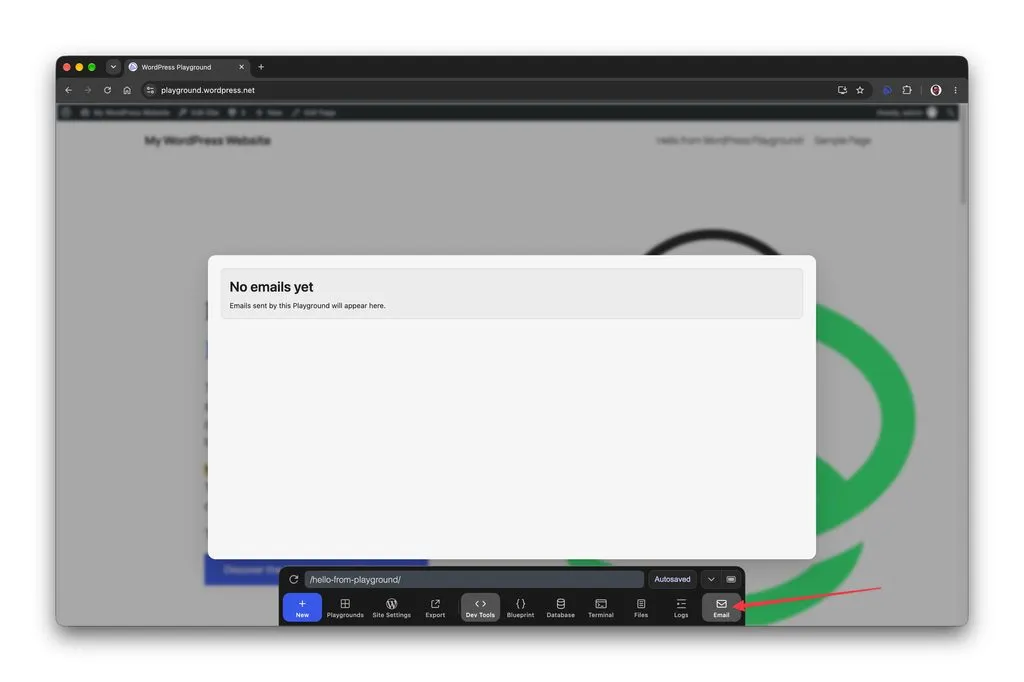
Normally, when WordPress sends a message, it hands that message off to the server’s mail system for delivery. Playground intercepts it at that point instead, so nothing actually gets sent, and shows it to you directly in the browser.
What to do
The next time a plugin page offers a “Test in Playground” link, use it to check the plugin’s contact form or notification emails before you install it on your live site. It is a fast way to confirm a form actually notifies you, or that an order confirmation email reads the way you expect, with no risk to your real inbox or your real site.
End of article