
WordPress 7.2 will let you add a shadow behind text without writing any code. The change was announced in the WordPress 7.2 developer note on text shadow.
What is new
WordPress 7.1 let theme developers set a text shadow in a theme’s settings file. There was no control in the editor, so site owners could not use it.
WordPress 7.2 adds that control. The Paragraph and Heading blocks support text shadow by default.
When you select one of those blocks, a Text shadow option appears in the Typography panel. You pick from a list of preset shadows. The control is hidden at first. Reveal it from the Typography panel’s options menu.
Presets in Global Styles
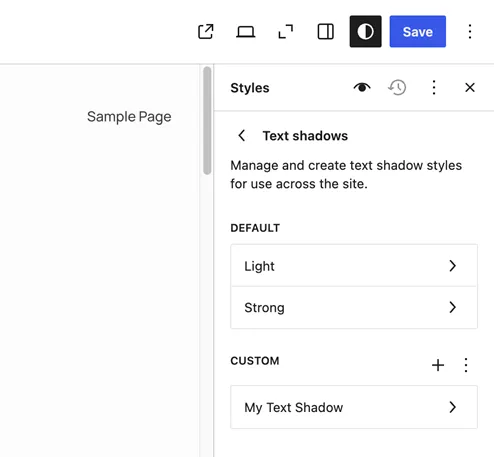
Global Styles is the editor screen where you set the look of your whole site. In 7.2 it gains a Text shadows panel.
Themes can ship their own shadow presets. You can pick or create presets there, much like font sizes and block shadows today.
What it means for your site
- If you use a block theme, you can add a shadow to a headline or paragraph from the editor.
- Developers can turn on text shadow for other blocks by adding one line to the block’s settings.
- Shadows can hurt readability. Check contrast on light and dark backgrounds before you publish.
WordPress 7.2 is still in testing. Try the feature on a staging site first, not your live site.
End of article