
Gutenberg 24.5 is out. It makes the Grid layout much more flexible, adds a side-by-side view for style revisions, and tidies up notes and text color. Gutenberg is the plugin where new editor features are tested before they reach WordPress core. The release follows Gutenberg 24.4 from two weeks ago.
Test it on a staging site first, not your live one.
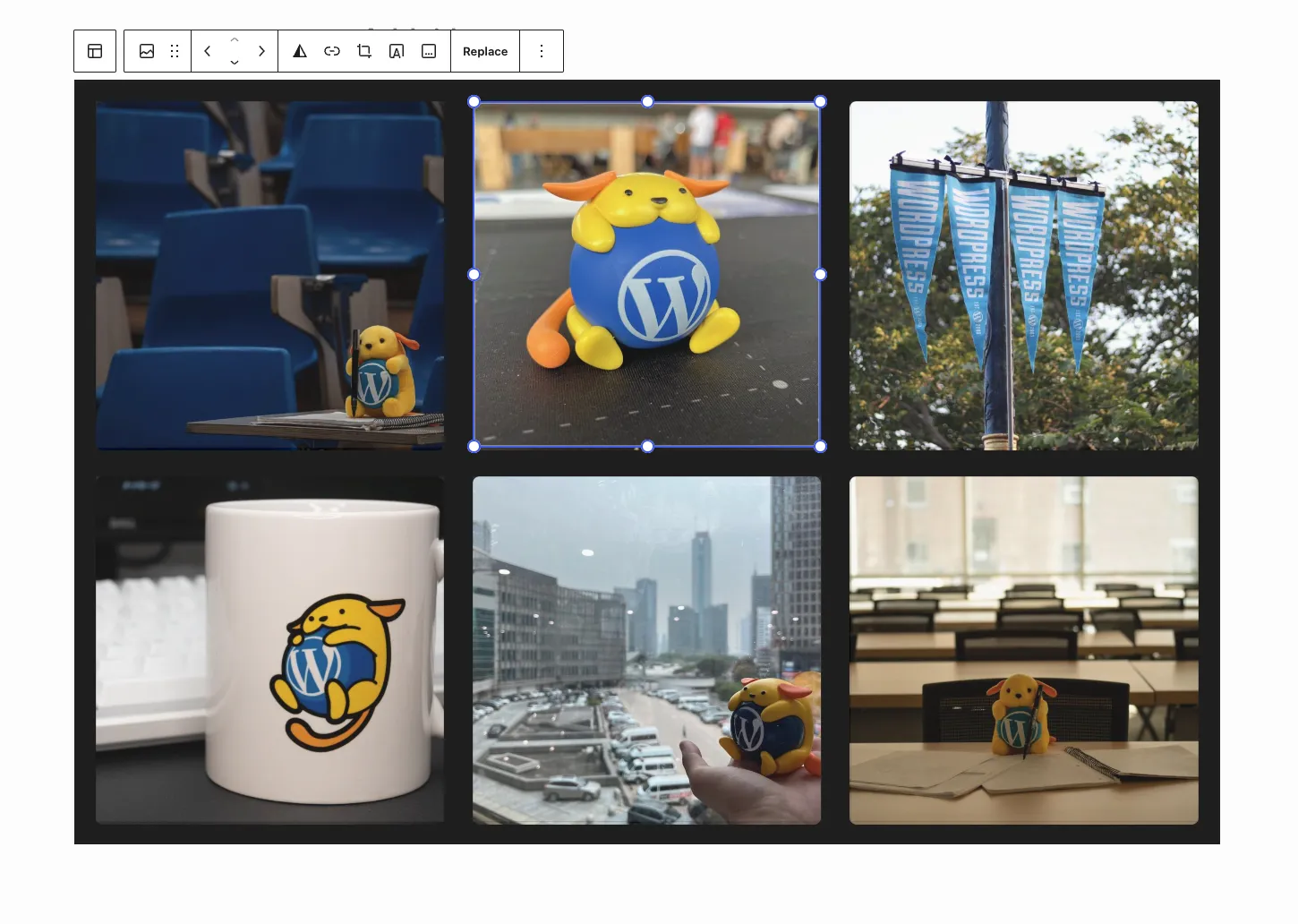
Grid blocks go exactly where you want them
You can now put a block on a specific column and row of a Grid. A gallery can leave deliberate gaps. A feature image can sit exactly where your design needs it.
Block movers now work in all four directions. Dragging a corner resizes an item across columns and rows in one move.
To try it, select a block inside a Grid. Open the options menu in the Dimensions panel and turn on Grid placement.
See exactly what changed in your styles
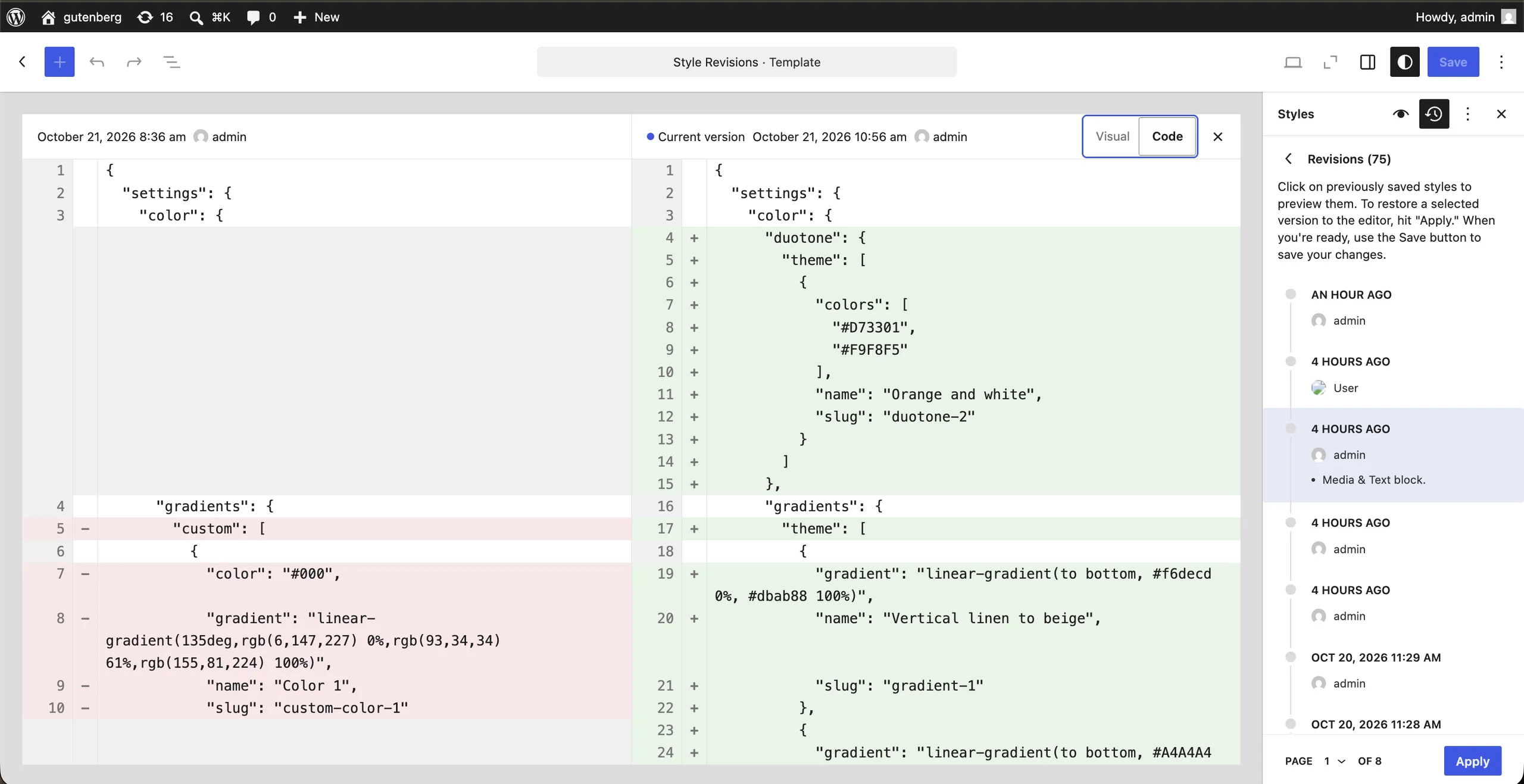
Style revisions are saved versions of your site’s look. Picking one now shows it beside your current styles, with the actual values.
Visual mode shows both previews with synced scrolling. Code mode shows a diff, with removed settings on the left and added ones on the right. This makes it easier to undo a design change without guessing.
One note for a whole passage
Notes are editor comments for your team. You can now select text that spans several blocks, or several whole blocks, and attach a single note to all of it. Use “Add note” in the block options menu, or press Ctrl/Cmd + Alt + M.
Text color is easier to find
The block toolbar’s More menu now has separate Text color and Highlight color options. Each shows a swatch of the current color. You can combine both on the same words. Existing content keeps its colors.
Smaller changes worth knowing
- The Image block supports border styles.
- Global Styles adds a text wrap setting.
- You can insert a Template Part inside a Post Template.
- Blocks that can only be used once now explain why they are disabled.
- The block crash warning has a Copy error button, which helps when you report a bug to a developer or support team.
- In the media editor, “Restore original” is now called “Edit original.”
The release also fixes issues in the Tabs block, including arrow key navigation and right-to-left sites.
End of article